

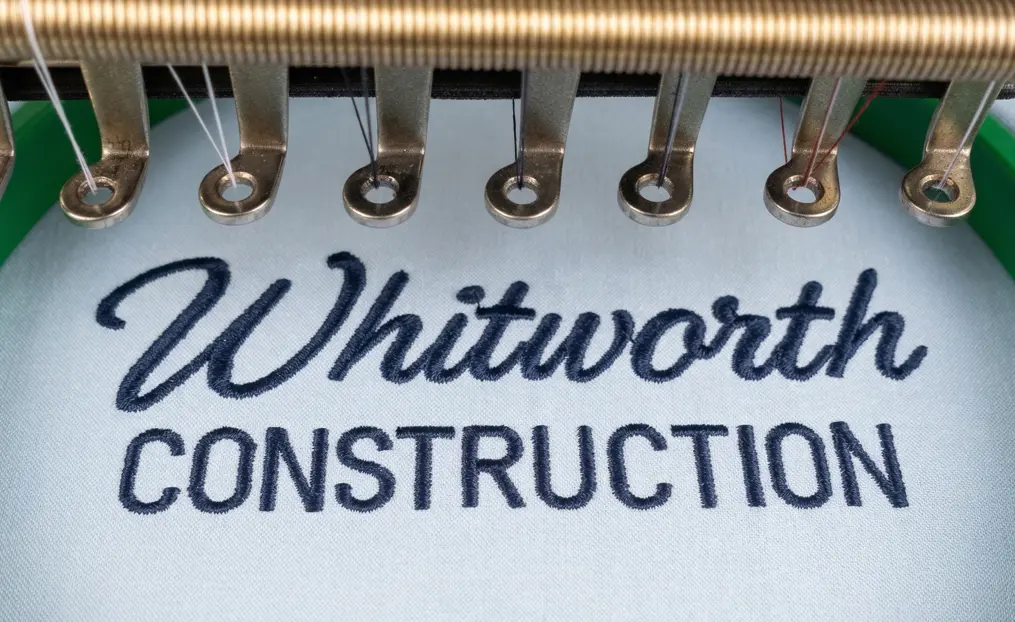
Small text embroidery is one of the hardest things to sew cleanly. Even when the file is digitized properly, letters can close up, look uneven, or become unreadable if the wrong fabric, stabilizer, thread, needle, thread tension or machine settings are used. This guide explains how to embroider small text so it stays sharp and readable.
This guide explains how to embroider small text so it stays sharp, clean, and readable.
What Counts as Small Text in Embroidery?
Small text in embroidery typically refers to lettering under 5–6 mm in height. At this size, readability becomes difficult, especially on soft, textured, or stretchy fabrics.
Understanding these limitations helps you make better decisions before starting production.
How to Start with the Right Digitized File?
Even though this guide focuses on embroidery, the file still plays a critical role.
Make sure to:
- Use a file specifically created for small text
- Avoid resizing designs too much
- Always perform a test run before final production
A well-prepared file gives you a strong starting point for clean results.
How to Choose the Right Fabric?
Fabric selection has a major impact on small text clarity.
Best fabrics:
- Twill
- Denim
- Stable cotton
Difficult fabrics:
- Fleece
- Pique
- Stretchy knits
Textured or stretchy fabrics can cause distortion, making small text harder to read.
How to Use the Proper Stabilizer?
Stabilizer is essential for maintaining shape and preventing distortion.
- Use cutaway stabilizer for stretchy garments
- Use tearaway stabilizer for stable fabrics
- Use topping on textured materials if needed
Proper stabilization ensures cleaner stitching and better readability.
What Needle and Thread Should You Use?
What Needle and Thread Should You Use?
- Use a sharp needle (9/65) for twill, denim, and stable cotton
- Use a ballpoint needle for fleece, pique, and stretchy fabrics
- Use 60 wt thread for very small lettering
- Avoid thick threads, as they can cause letters to fill in
Correct tools help maintain detail in small text.
Why Does Hooping Matter?
Hooping directly affects how the design stitches out.
- Hooping directly affects how the design stitches out.
- Hoop the fabric tightly, but avoid distortion
Proper hooping keeps text stable and readable during stitching.
Should You Slow Down the Machine?
Yes — machine speed plays an important role.
- Lower speed helps achieve cleaner stitching
- High speed can cause vibration and messy edges
Slower stitching improves precision for small text.
How to Check Tension and Do a Test Sew-Out?
Testing is critical before final production.
- Always run a sample first
- Check if letters are closing or distorting
- Adjust tension if the thread is pulling too tightly
This step helps avoid costly mistakes.
Best Practices for Readable Small Text
Follow these tips for better results:
- Keep letters simple and clean
- Avoid very thin or decorative serif fonts
- Increase spacing between letters slightly
- Do not make text smaller than the machine and fabric can handle
These practices significantly improve readability.
Common Problems and How to Fix Them
Letters closing up:
- Caused by high density or thick thread
Jagged edges:
- Caused by poor stabilization or high machine speed
Unreadable text:
- Caused by overly decorative fonts or very small sizing
Caused by overly decorative fonts or very small sizing
Conclusion
Small text embroidery depends on more than just the digitized file. With the right fabric, stabilizer, thread, hooping, and machine settings, you can achieve clean, sharp, and readable results even on challenging designs.