

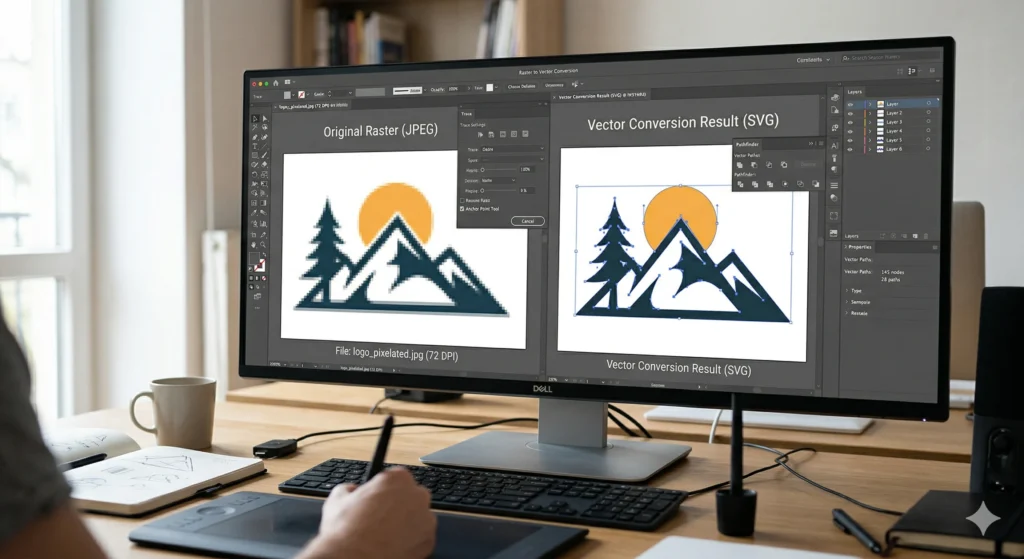
Raster to vector conversion is an essential process for creating high-quality designs for printing, embroidery, and branding. Low-resolution images often appear blurry or pixelated, making them unsuitable for professional use.
In this guide, we will explain what raster to vector conversion is, why it is important, and how it helps in achieving clean, scalable, and production-ready designs.
What is Raster to Vector Conversion?
Raster to vector conversion is the process of converting pixel-based images (like JPG or PNG) into scalable vector formats such as AI, EPS, or SVG.
Unlike raster images, vector graphics can be resized without losing quality, making them ideal for printing, embroidery digitizing, and branding.
Why Vector Files Are Important
Vector files are essential for professional design work because they maintain clarity at any size.
Benefits:
- No quality loss when scaling
- Clean and sharp edges
- Ideal for printing and embroidery
- Easy to edit and modify
- Suitable for CNC, laser cutting, and vinyl
Using vector files ensures consistent results across all applications.
Common Raster Formats vs Vector Formats
Raster formats:
- JPG
- PNG
- BMP
Vector formats:
- AI
- EPS
- SVG
Raster images depend on resolution, while vector files are resolution-independent.
How Raster to Vector Conversion Works
The process involves recreating the design using vector paths and shapes instead of pixels.
Steps:
- Analyze the original image
- Trace shapes and outlines
- Adjust curves and anchor points
- Apply colors accurately
- Export in required vector formats
Manual conversion provides better accuracy compared to automatic tools.
Use Cases of Vector Art
Vector artwork is widely used across multiple industries.
Common uses:
- Screen printing
- Embroidery digitizing
- Logo design and branding
- DTF and heat transfer printing
- CNC and laser cutting
Vector files ensure high-quality results in all these applications.
Common Mistakes to Avoid
Avoid these mistakes when converting raster images:
- Using auto-trace tools without cleanup
- Ignoring color accuracy
- Poor alignment of shapes
- Overcomplicated paths
- Low-quality source images
These issues can result in poor print or embroidery quality.
Pro Tips for Best Results
- Always start with the highest quality image
- Use manual vector tracing for accuracy
- Keep paths clean and simple
- Maintain proper color separation
- Test design before production
Following these tips ensures professional-quality vector artwork.
Conclusion
Raster to vector conversion is essential for achieving clean, scalable, and production-ready designs. Whether you are working with printing, embroidery, or cutting machines, vector files ensure the best possible results.
Need professional raster to vector conversion? Our expert team provides high-quality vector art services with fast turnaround and accurate results. 👉 Check our Vector Art Services to get started today.